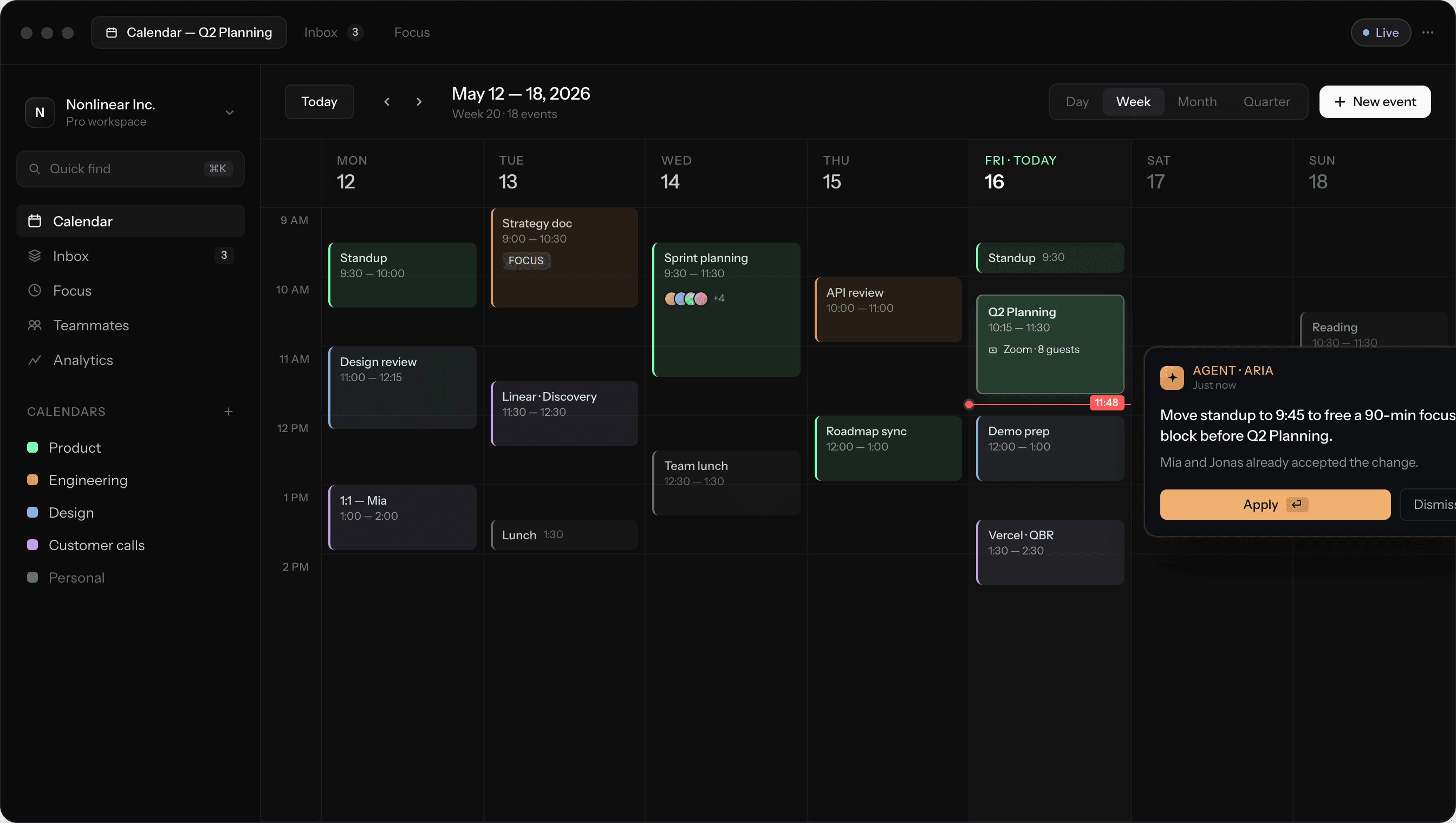
The calendar, rebuilt for people who ship.

A calendar built for product teams that ship. Plan in seconds, defend deep work, and let agents handle the scheduling chaos.
Time is the only resource you can't earn back. Nonlinear treats it that way — built for product teams who measure shipping in hours, not weeks.
Built for flow

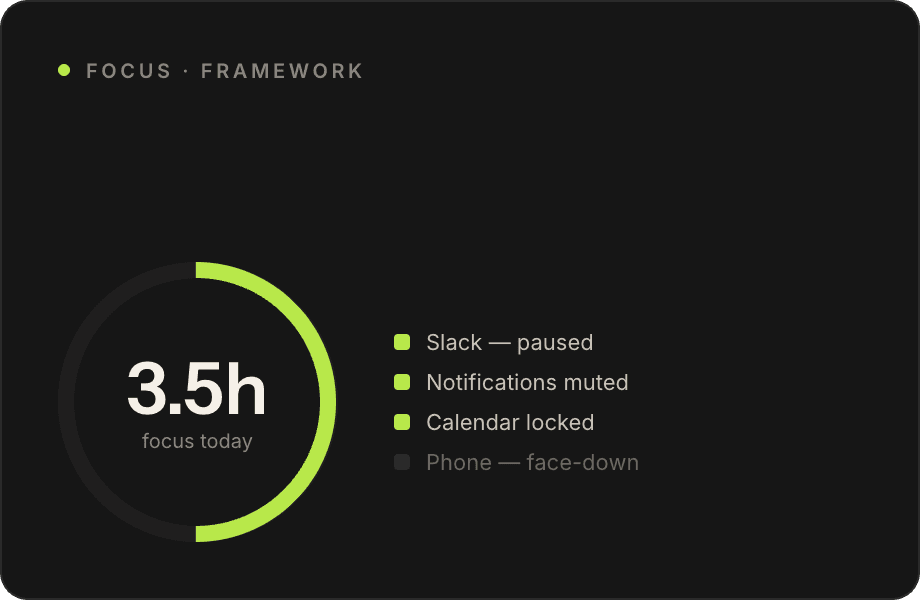
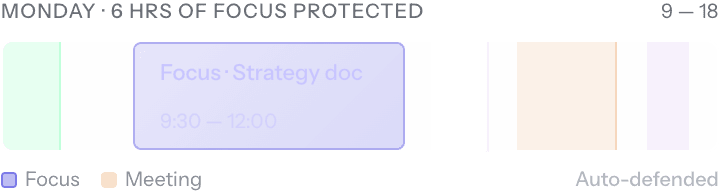
Block out deep work that meetings can't break into. Nonlinear learns when you ship best and protects the hours.
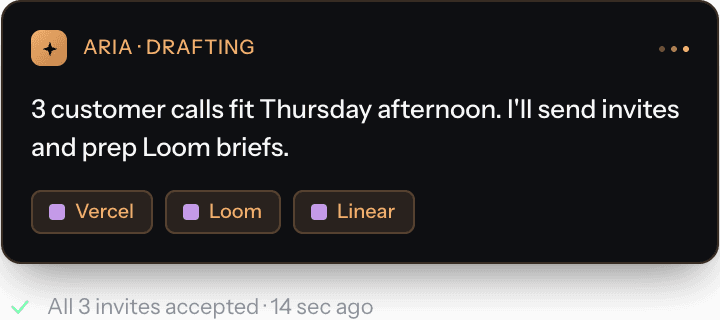
Powered by agents

Aria handles reschedules, sends invites, drafts prep notes — and keeps your week loaded with the right meetings, not just any meetings.
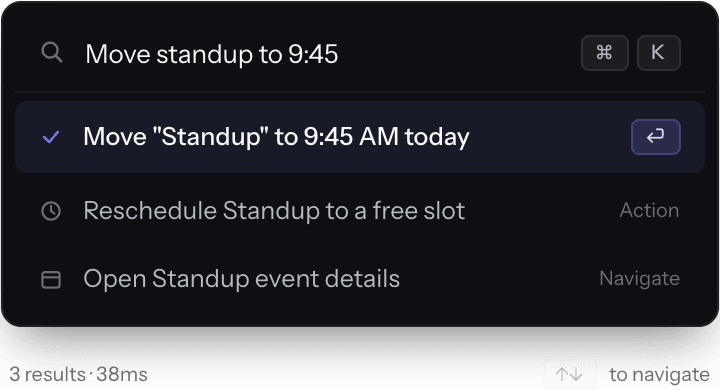
Designed for speed

Hit ⌘K and type. Move meetings, find slots, send invites — without ever lifting a hand from the keyboard.

Everything you need to ship the week.

A calendar, planner, focus timer, scheduling link, and AI agent — woven into a single surface that moves at the speed of your team.
01

Plan

02

Schedule

03

Focus

04

Sync

Plan a week in 30 seconds

Drag tasks onto your week. Nonlinear finds the right slots, defends focus blocks, and reshuffles when meetings move.

Drag-and-drop scheduling

Pull issues from Linear or tasks from your inbox right onto a day.

Auto-balanced workload

Estimates roll up so you see a week's load before it breaks you.

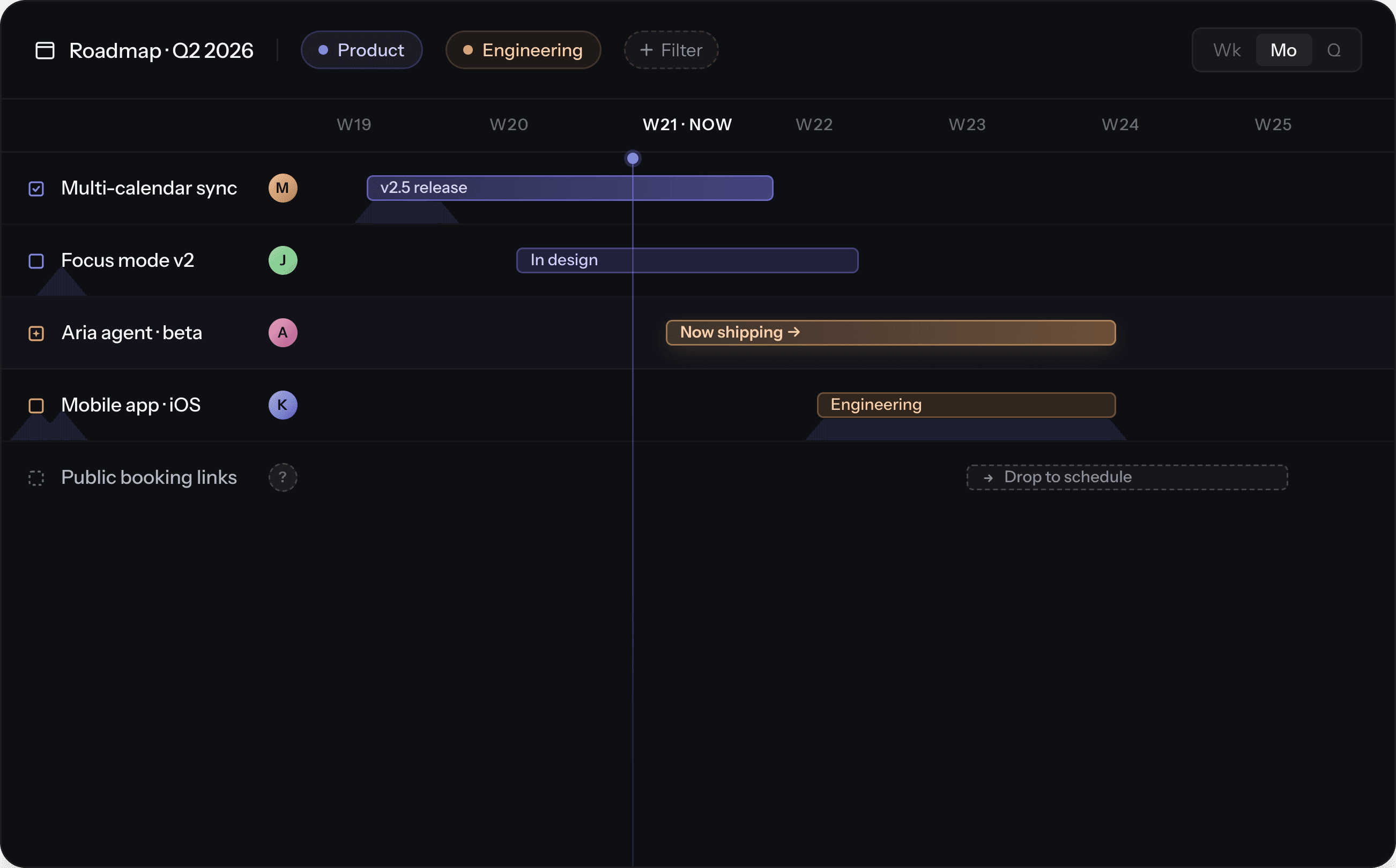
Multi-week roadmap view

Zoom out to a quarter, drag a sprint forward, ship on time.

01

Plan

02

Schedule

03

Focus

04

Sync

Plan a week in 30 seconds

Drag tasks onto your week. Nonlinear finds the right slots, defends focus blocks, and reshuffles when meetings move.

Drag-and-drop scheduling

Pull issues from Linear or tasks from your inbox right onto a day.

Auto-balanced workload

Estimates roll up so you see a week's load before it breaks you.

Multi-week roadmap view

Zoom out to a quarter, drag a sprint forward, ship on time.

Calendar work, back of mind.

Teams that switch to Nonlinear stop thinking about scheduling within the first week. Aria and the planning surface do the heavy lifting in the background.


RESCHEDULES

-87

%

Aria absorbs reschedule chaos before it lands in your inbox.

RESCHEDULES

-87

%

Aria absorbs reschedule chaos before it lands in your inbox.

DAILY FOCUS

+1.4

hrs

Median focused time per person, per day. Defended

DAILY FOCUS

+1.4

hrs

Median focused time per person, per day. Defended

TIME TO SCHEDULE

8x

faster

From "let's find a time" to a sent invite. Measured against Google Calendar.

TIME TO SCHEDULE

8x

faster

From "let's find a time" to a sent invite. Measured against Google Calendar.

Wake up to a calmer week.

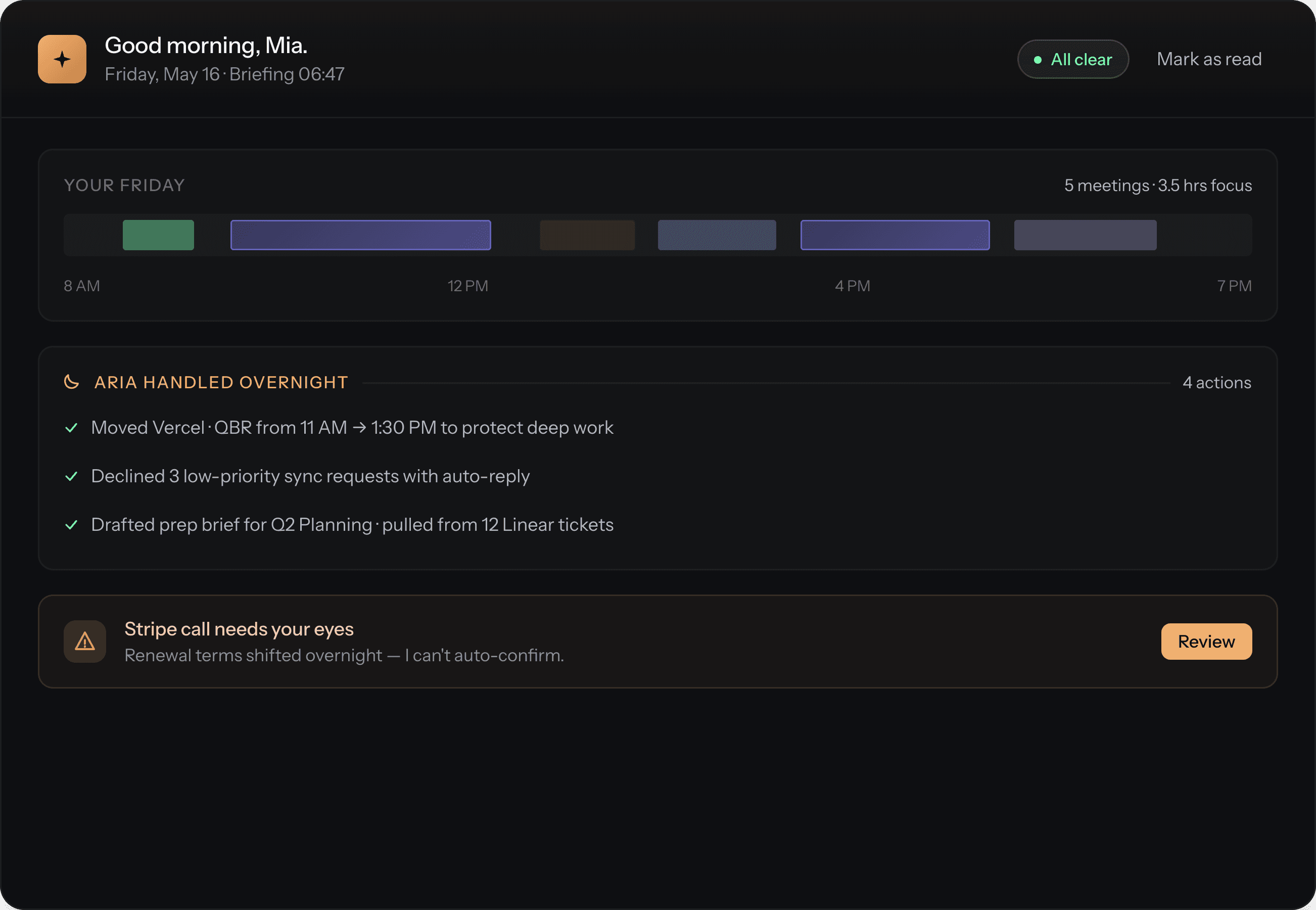
While you're asleep, Aria prepares the day — accepts low-stakes invites, drafts meeting prep, and flags conflicts before they hit your inbox. You wake up to a briefing, not a backlog.

Overnight summary

Prep on demand

At-risk alerts

Wake up to a calmer week.

While you're asleep, Aria prepares the day — accepts low-stakes invites, drafts meeting prep, and flags conflicts before they hit your inbox. You wake up to a briefing, not a backlog.

Overnight summary

Prep on demand

At-risk alerts

Plan a week in 30 seconds

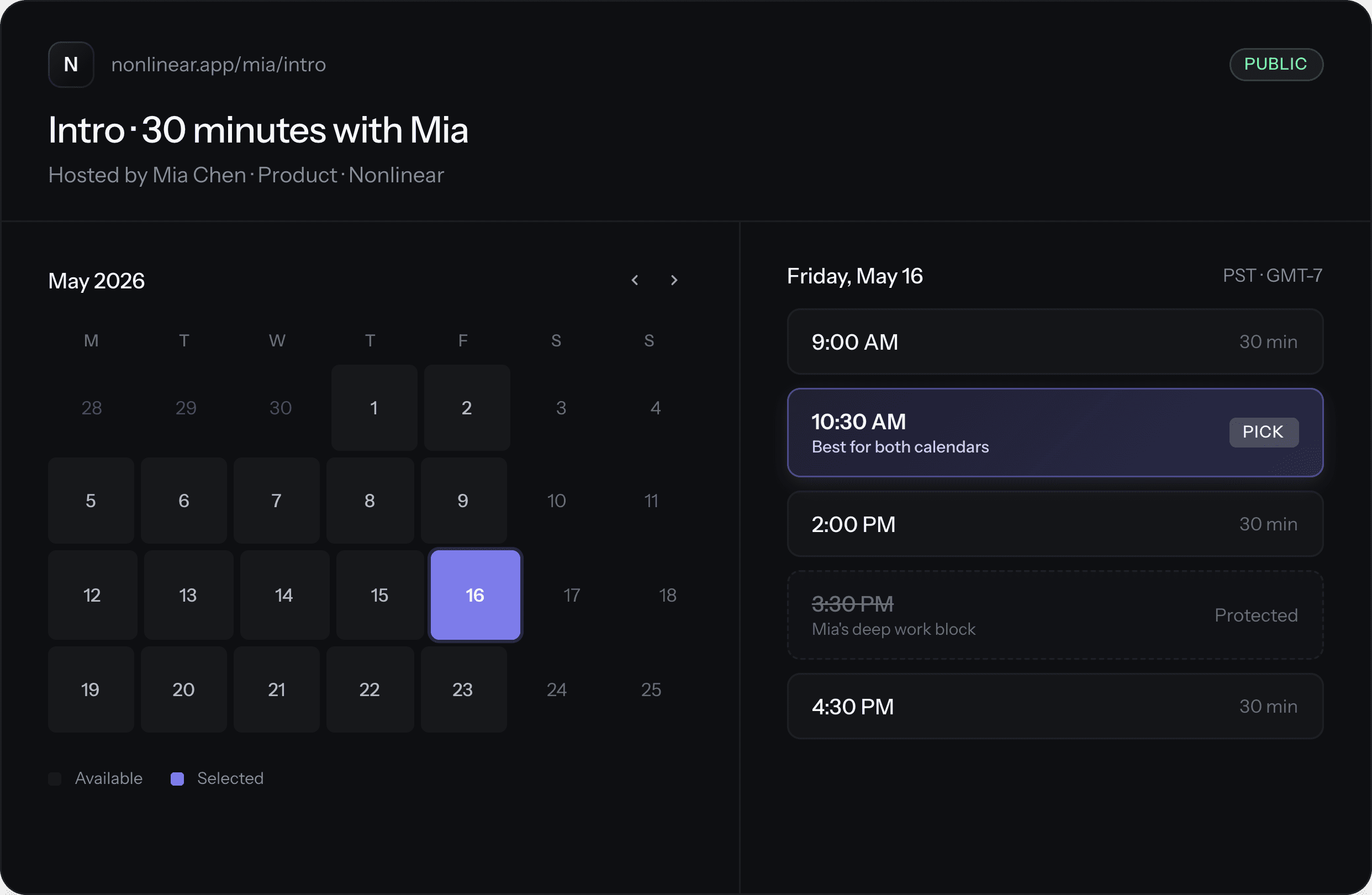
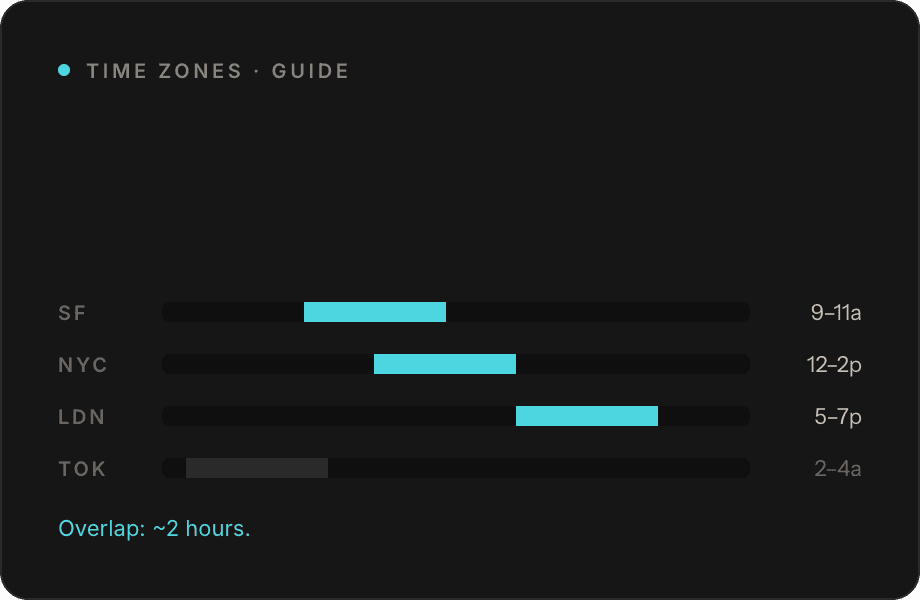
Share one link. Nonlinear offers slots that protect deep work, dodge time-zone misery, and balance load across the team — without the "let's find a time" thread.

Focus-aware availability

Round-robin teams

Time-zone smart

Plan a week in 30 seconds

Share one link. Nonlinear offers slots that protect deep work, dodge time-zone misery, and balance load across the team — without the "let's find a time" thread.

Focus-aware availability

Round-robin teams

Time-zone smart

Kill the meetings that should've been an email.

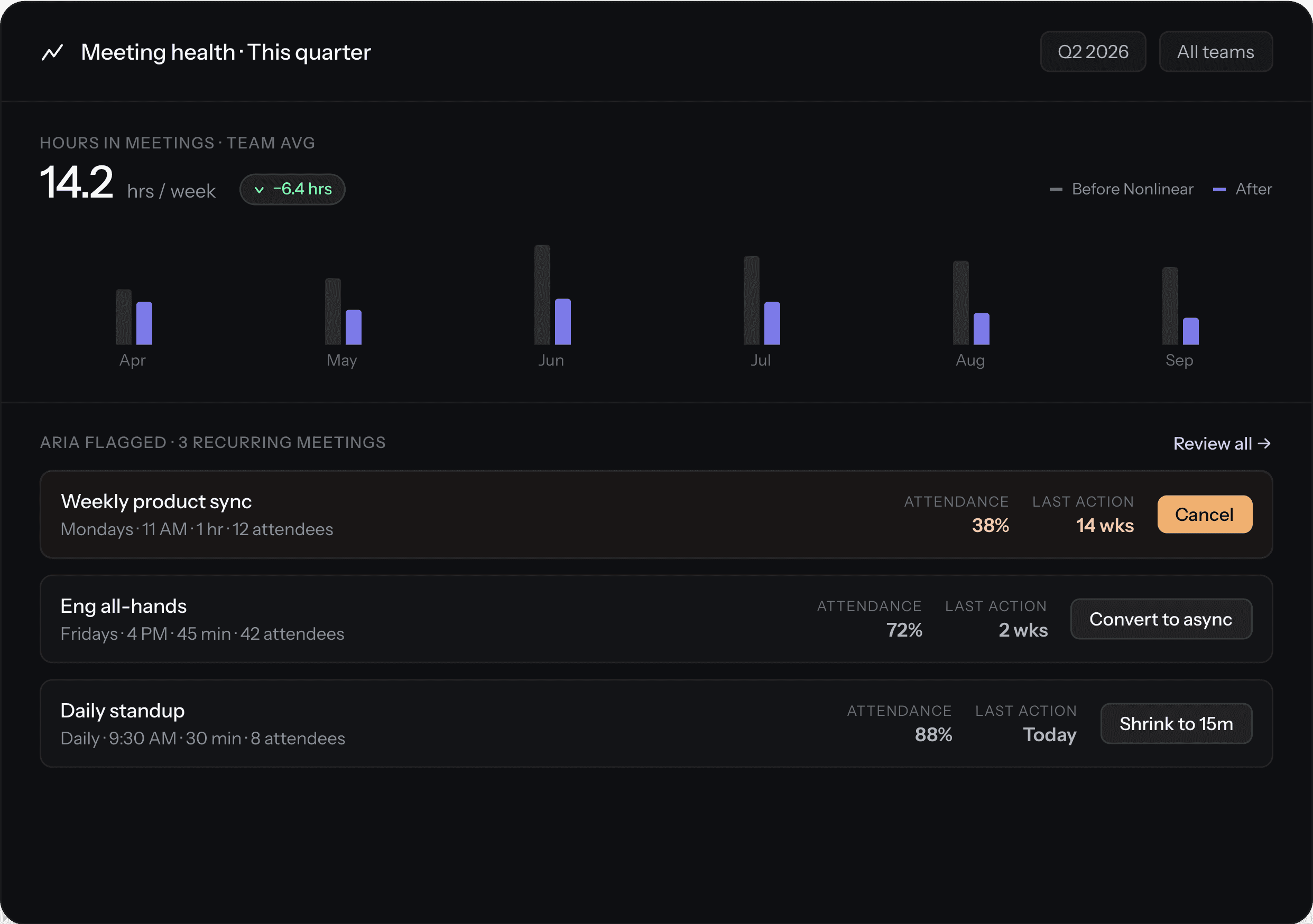
Every recurring meeting is scored on attendance, engagement, and outcomes. Aria flags the ones to cancel, shrink, or convert to async — backed by data, not vibes.

Find the dead meetings

One-click cancel

Weekly recap

Kill the meetings that should've been an email.

Every recurring meeting is scored on attendance, engagement, and outcomes. Aria flags the ones to cancel, shrink, or convert to async — backed by data, not vibes.

Find the dead meetings

One-click cancel

Weekly recap

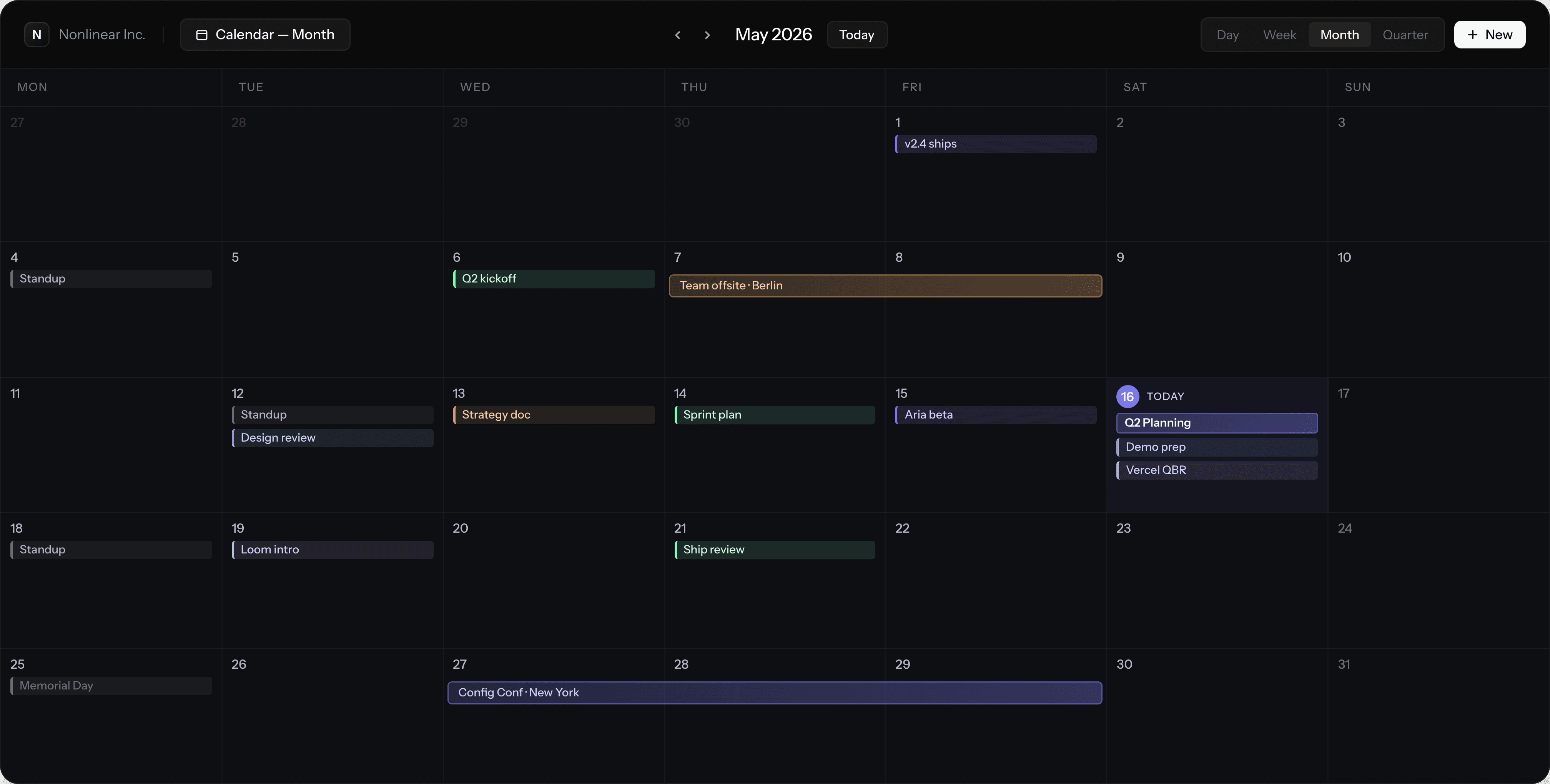
Every view, one workspace.

The same data, the same keyboard, the same surfaces — at any time scale. Zoom from a single afternoon to a quarter without losing your place.
Day

A single day, hour by hour. The view you live in when you're shipping.

Week

Plan around your team's rhythm. The default for most product folks.

Month

Zoom out to spot overload, find gaps, and plan the long arcs of work.

Quarter

A roadmap that breathes — drag initiatives, see velocity, ship the quarter.

What our customers say

See real testimonials from our customers

  • "Nonlinear Calendar has revolutionized our team's scheduling process. The AI-powered scheduling feature saves us hours each week, and the integration with our existing tools is seamless."

    Emily Chen

    Product Manager at Zenith

    "Since switching to Nonlinear Calendar, our team's productivity has increased by 30%. The customizable views and real-time sharing features have been game-changers for us."

    David Lee

    CEO at Pulse

    "The calendar analytics in Nonlinear have given us valuable insights into our time usage. We've been able to optimize our schedules and reduce unnecessary meetings by 25%."

    Sarah Patel

    Marketing Director at Flux

    "The robust security measures and unlimited storage in the Premium plan have made Nonlinear Calendar an essential tool for our enterprise. It's reliable, secure, and feature-rich."

    Michael Kim

    IT Manager at Nexus

    "Nonlinear Calendar's task management features have streamlined our project workflows. The ability to prioritize tasks and track status in real-time has improved our project delivery times by 20%."

    Jessica Brown

    Project Manager at Apex

    "The group scheduling feature in Nonlinear Calendar has made it easy to find the best times for team meetings across different time zones. It's a huge time-saver for our global team."

    James Davis

    Sales Director at Vista

    "The auto-scheduling feature with AI has been a lifesaver. It ensures our schedules are optimized, and we can focus on more critical tasks without worrying about conflicts."

    Laura Martin

    Operations Manager at Prime

    "Nonlinear Calendar's user-friendly interface and comprehensive integration options have made it easy for our small team to adopt and use. It's been a key factor in our productivity growth."

    Kevin White

    Founder at Spark

  • "Nonlinear Calendar has revolutionized our team's scheduling process. The AI-powered scheduling feature saves us hours each week, and the integration with our existing tools is seamless."

    Emily Chen

    Product Manager at Zenith

    "Since switching to Nonlinear Calendar, our team's productivity has increased by 30%. The customizable views and real-time sharing features have been game-changers for us."

    David Lee

    CEO at Pulse

    "The calendar analytics in Nonlinear have given us valuable insights into our time usage. We've been able to optimize our schedules and reduce unnecessary meetings by 25%."

    Sarah Patel

    Marketing Director at Flux

    "The robust security measures and unlimited storage in the Premium plan have made Nonlinear Calendar an essential tool for our enterprise. It's reliable, secure, and feature-rich."

    Michael Kim

    IT Manager at Nexus

    "Nonlinear Calendar's task management features have streamlined our project workflows. The ability to prioritize tasks and track status in real-time has improved our project delivery times by 20%."

    Jessica Brown

    Project Manager at Apex

    "The group scheduling feature in Nonlinear Calendar has made it easy to find the best times for team meetings across different time zones. It's a huge time-saver for our global team."

    James Davis

    Sales Director at Vista

    "The auto-scheduling feature with AI has been a lifesaver. It ensures our schedules are optimized, and we can focus on more critical tasks without worrying about conflicts."

    Laura Martin

    Operations Manager at Prime

    "Nonlinear Calendar's user-friendly interface and comprehensive integration options have made it easy for our small team to adopt and use. It's been a key factor in our productivity growth."

    Kevin White

    Founder at Spark

Frequently asked questions.

What is Nonlinear Calendar and how does it differ from other calendar apps?

Nonlinear Calendar is a comprehensive time management tool that offers innovative features such as AI-powered scheduling, customizable calendar views, and robust integration with other productivity tools. Unlike traditional calendar apps, Nonlinear Calendar uses AI to optimize your schedule and provides advanced task management features.

Can I use Nonlinear Calendar for team collaboration?

Yes, Nonlinear Calendar is designed to support team collaboration with features like group scheduling, task management, and advanced security measures in the Premium plan.

Can I integrate Nonlinear Calendar with other productivity tools and services?

Yes, Nonlinear Calendar integrates seamlessly with popular productivity tools and services like Google Workspace, Microsoft 365, Trello, and Asana.

How does the AI-powered scheduling feature work in Nonlinear Calendar?

The AI-powered scheduling feature uses machine learning algorithms to analyze your availability and preferences to automatically schedule tasks and meetings. It considers your past scheduling habits, typical meeting durations, and recurring events to suggest the best time slots.

How secure is my data in Nonlinear Calendar?

Nonlinear Calendar takes data security seriously with features like data encryption, two-factor authentication, and compliance with major data protection regulations such as GDPR and HIPAA. Regular security updates are also provided.

What kind of support does Nonlinear Calendar offer?

Nonlinear Calendar offers comprehensive support through its website, including a knowledge base, FAQs, and customer support via email and live chat.

What is Nonlinear Calendar and how does it differ from other calendar apps?

Nonlinear Calendar is a comprehensive time management tool that offers innovative features such as AI-powered scheduling, customizable calendar views, and robust integration with other productivity tools. Unlike traditional calendar apps, Nonlinear Calendar uses AI to optimize your schedule and provides advanced task management features.

How does the AI-powered scheduling feature work in Nonlinear Calendar?

The AI-powered scheduling feature uses machine learning algorithms to analyze your availability and preferences to automatically schedule tasks and meetings. It considers your past scheduling habits, typical meeting durations, and recurring events to suggest the best time slots.

Can I use Nonlinear Calendar for team collaboration?

Yes, Nonlinear Calendar is designed to support team collaboration with features like group scheduling, task management, and advanced security measures in the Premium plan.

How secure is my data in Nonlinear Calendar?

Nonlinear Calendar takes data security seriously with features like data encryption, two-factor authentication, and compliance with major data protection regulations such as GDPR and HIPAA. Regular security updates are also provided.

Can I integrate Nonlinear Calendar with other productivity tools and services?

Yes, Nonlinear Calendar integrates seamlessly with popular productivity tools and services like Google Workspace, Microsoft 365, Trello, and Asana.

What kind of support does Nonlinear Calendar offer?

Nonlinear Calendar offers comprehensive support through its website, including a knowledge base, FAQs, and customer support via email and live chat.

Built for the time you can't get back.

A calendar built for product teams that ship. Plan in seconds, defend deep work, and let agents handle the scheduling chaos.

Built for the time you can't get back.

A calendar built for product teams that ship. Plan in seconds, defend deep work, and let agents handle the scheduling chaos.

Built for the time you can't get back.

A calendar built for product teams that ship. Plan in seconds, defend deep work, and let agents handle the scheduling chaos.

Create a free website with Framer, the website builder loved by startups, designers and agencies.